Viewing Inventory Returns in AIR.
This guide provides a straightforward method for accessing and managing inventory returns in the AIR system. By following the steps outlined, users can efficiently navigate the platform to view essential inventory data, ensuring better oversight and management of resources. It's an invaluable resource for anyone looking to streamline their inventory processes and enhance operational efficiency.
1. Navigate to https://air.corrisoft.com/managers/dashboard
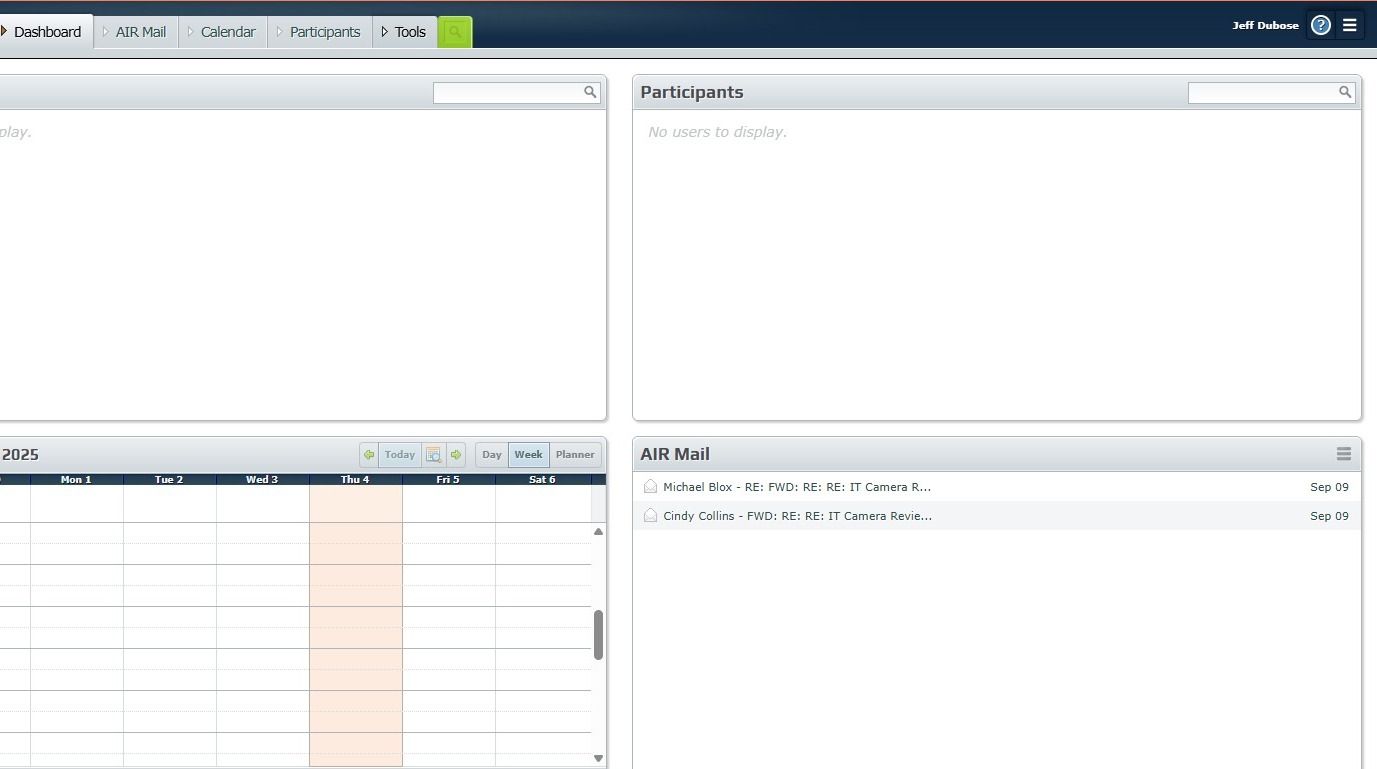
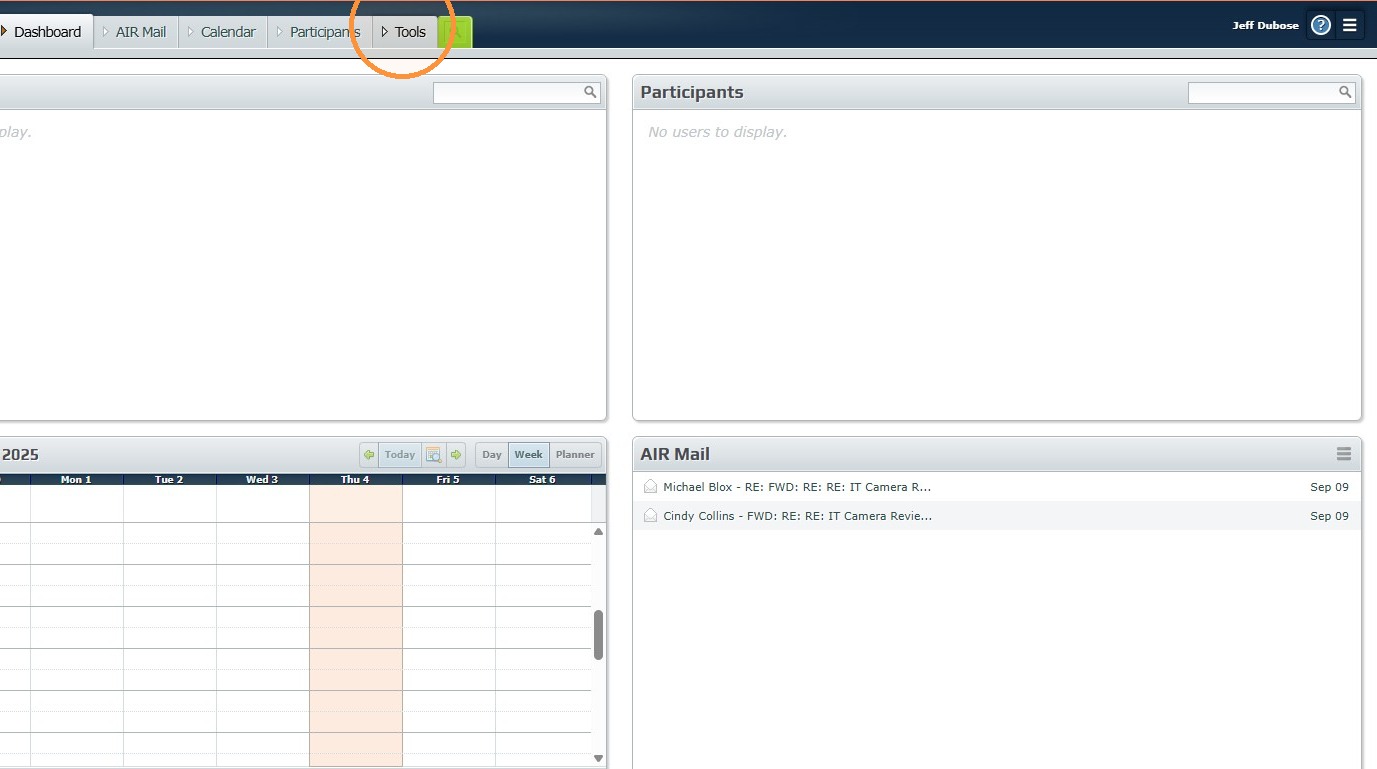
2. Click "Tools"
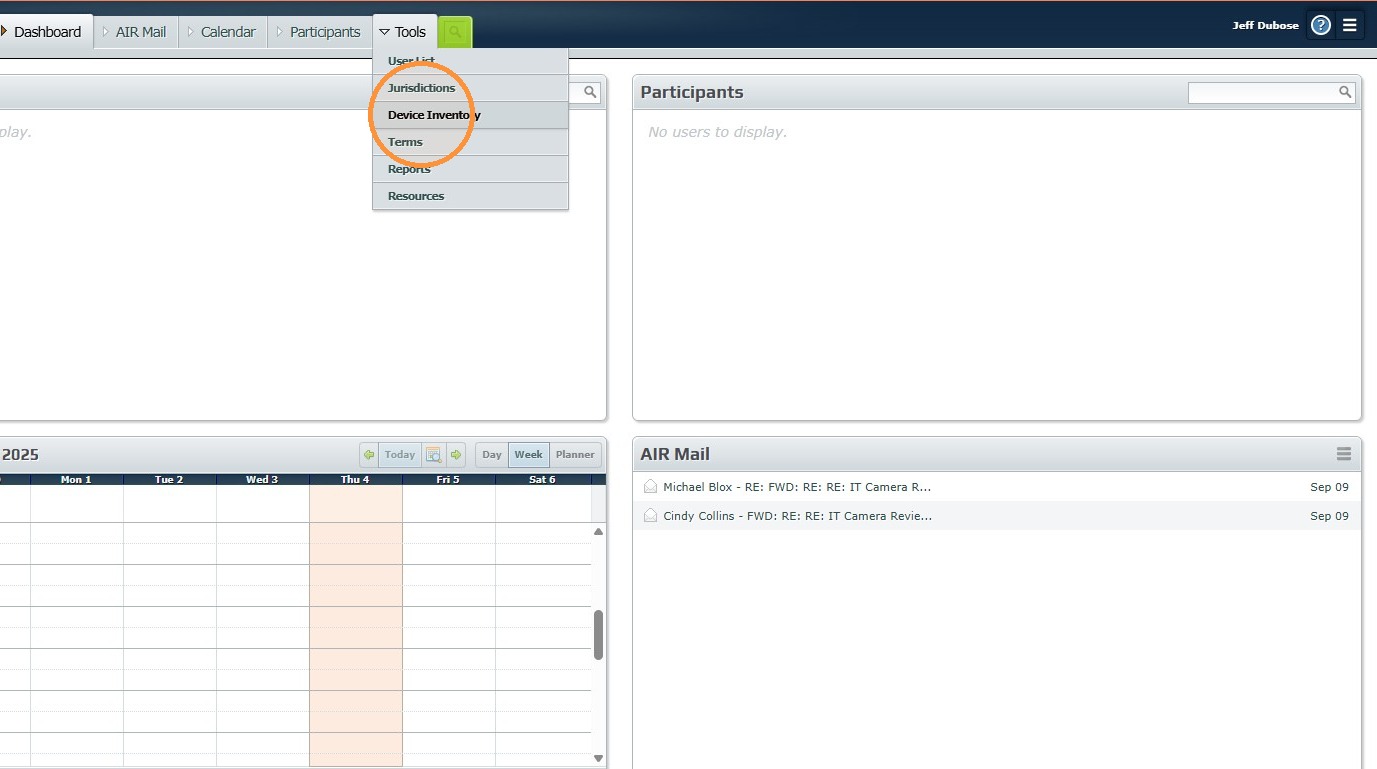
3. Click "Device Inventory"
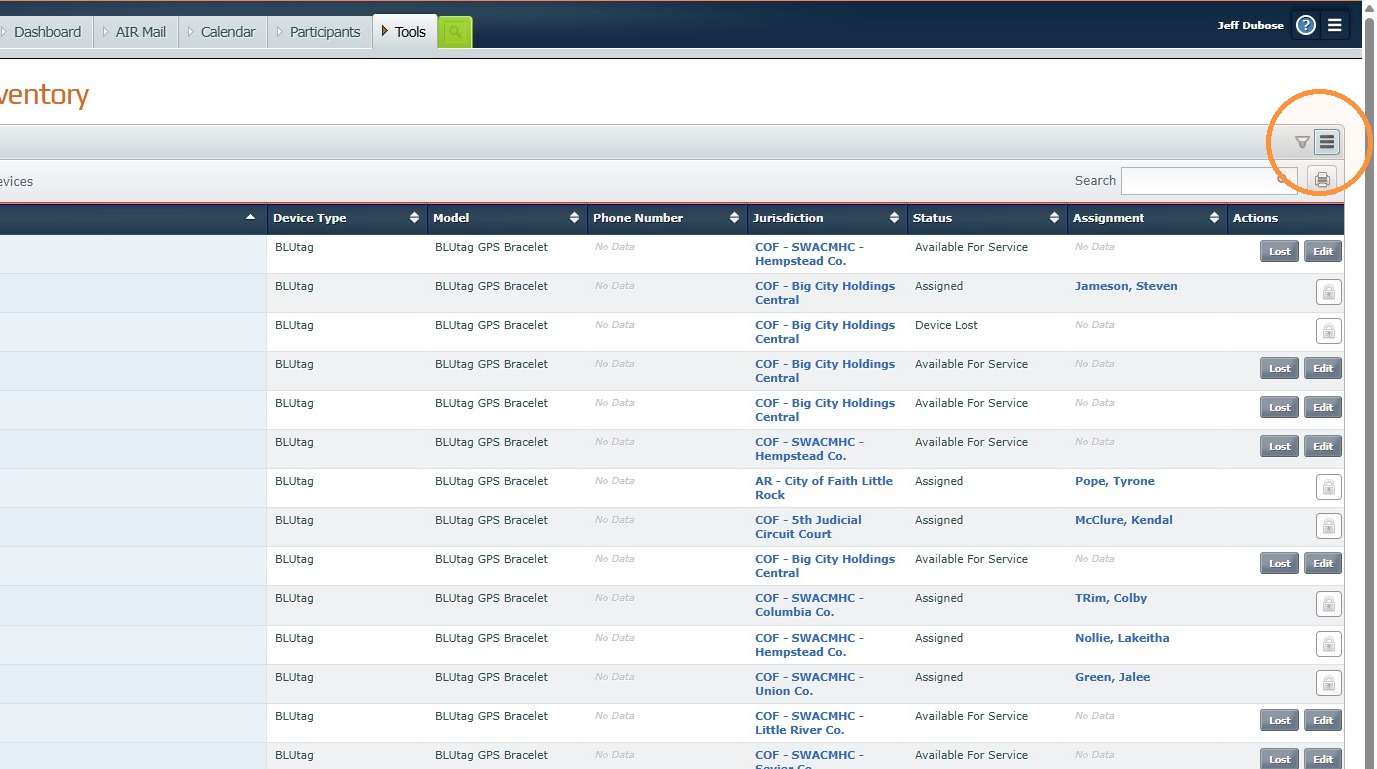
4. Click "Settings"
5. Click "Inventory Returns"
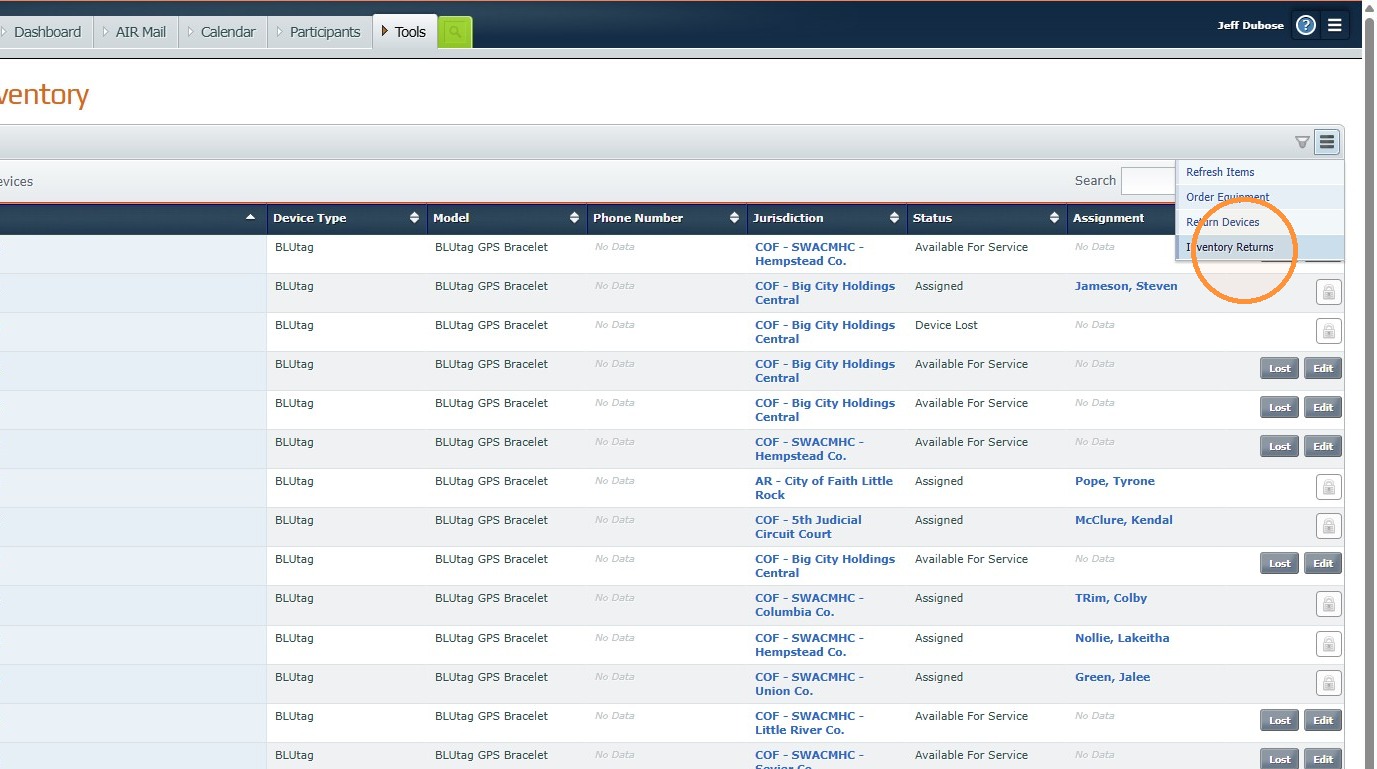
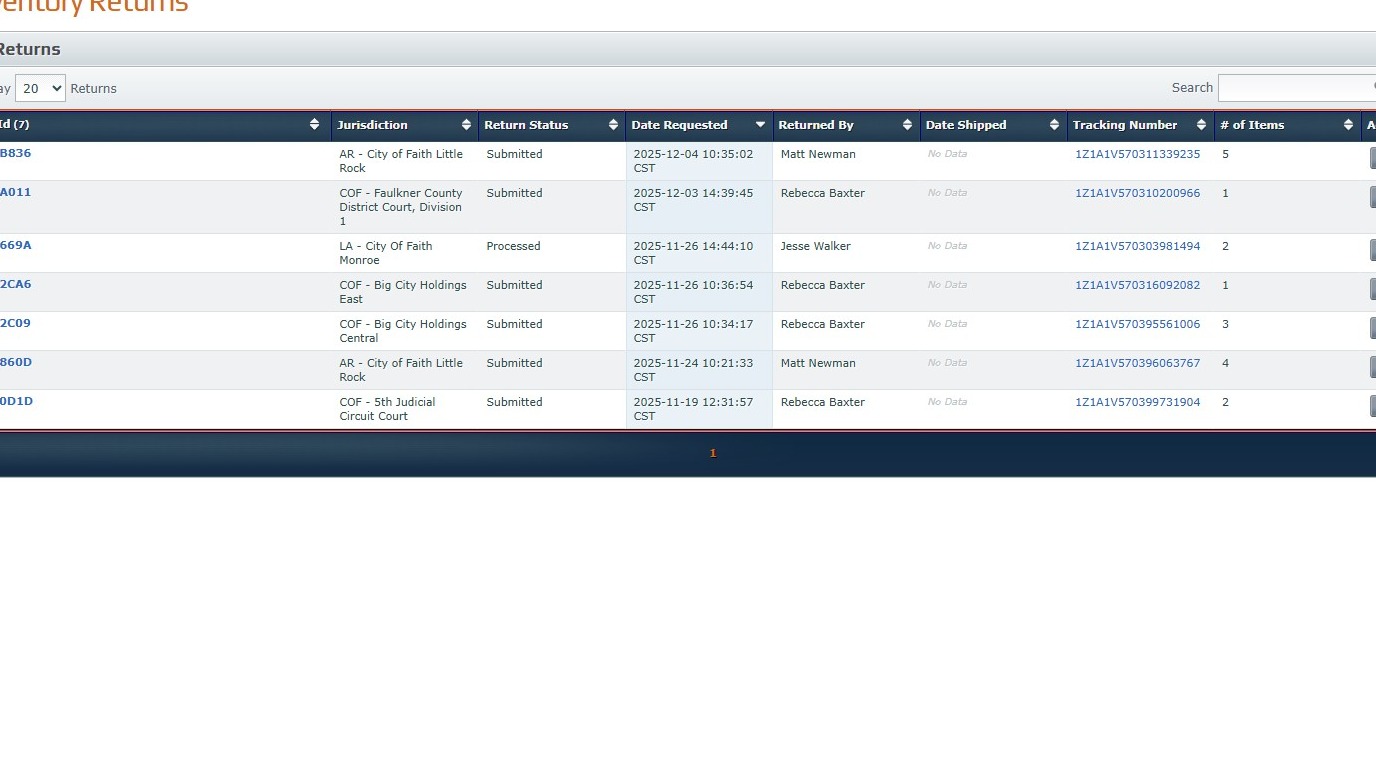
6. Now you can view inventory returns in AIR. See the list below.
Was this article helpful?
That’s Great!
Thank you for your feedback
Sorry! We couldn't be helpful
Thank you for your feedback
Feedback sent
We appreciate your effort and will try to fix the article