Report a Lost Device in AIR
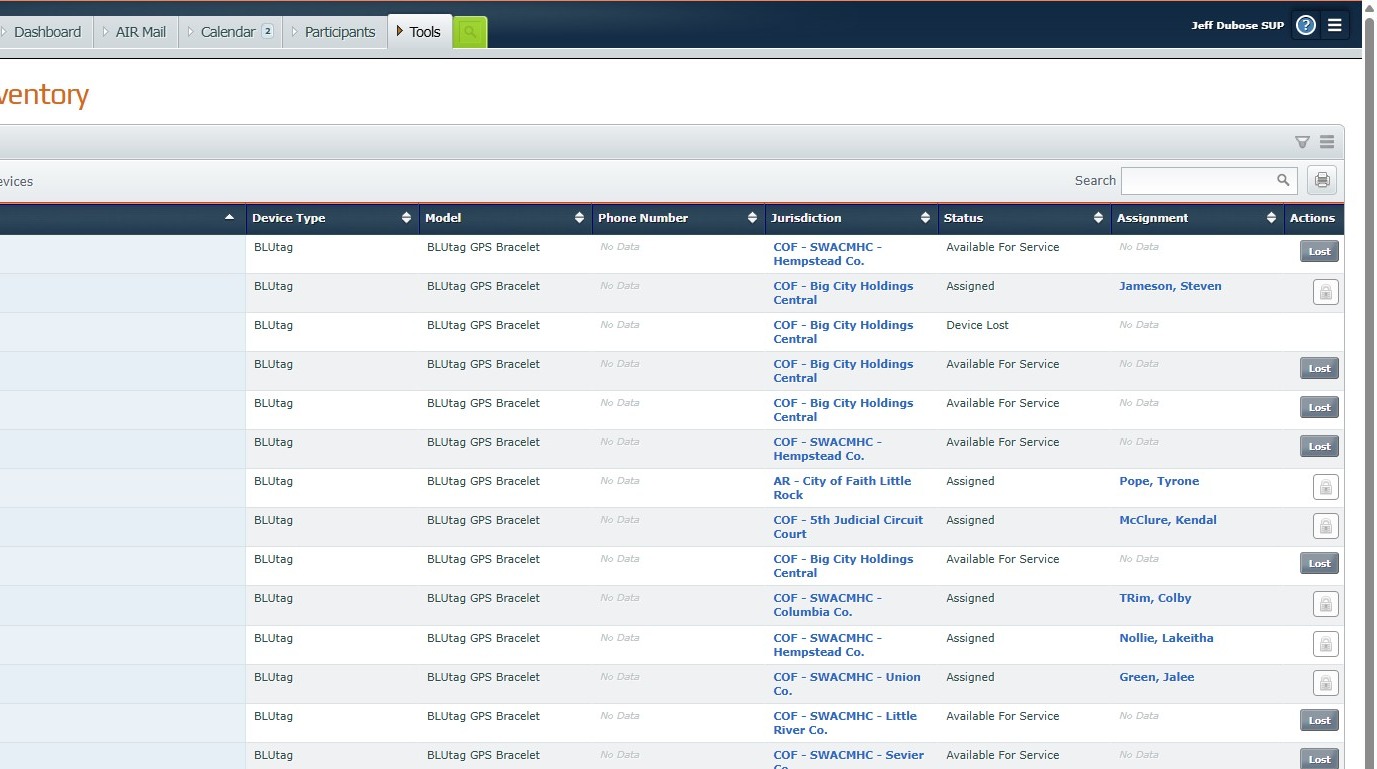
This guide provides a straightforward process for reporting a lost device in the AIR system, ensuring users can quickly and efficiently address the issue. By following the outlined steps, individuals can easily navigate the platform and update their device status, minimizing potential disruptions. It's an essential resource for maintaining device accountability and security within the AIR framework.
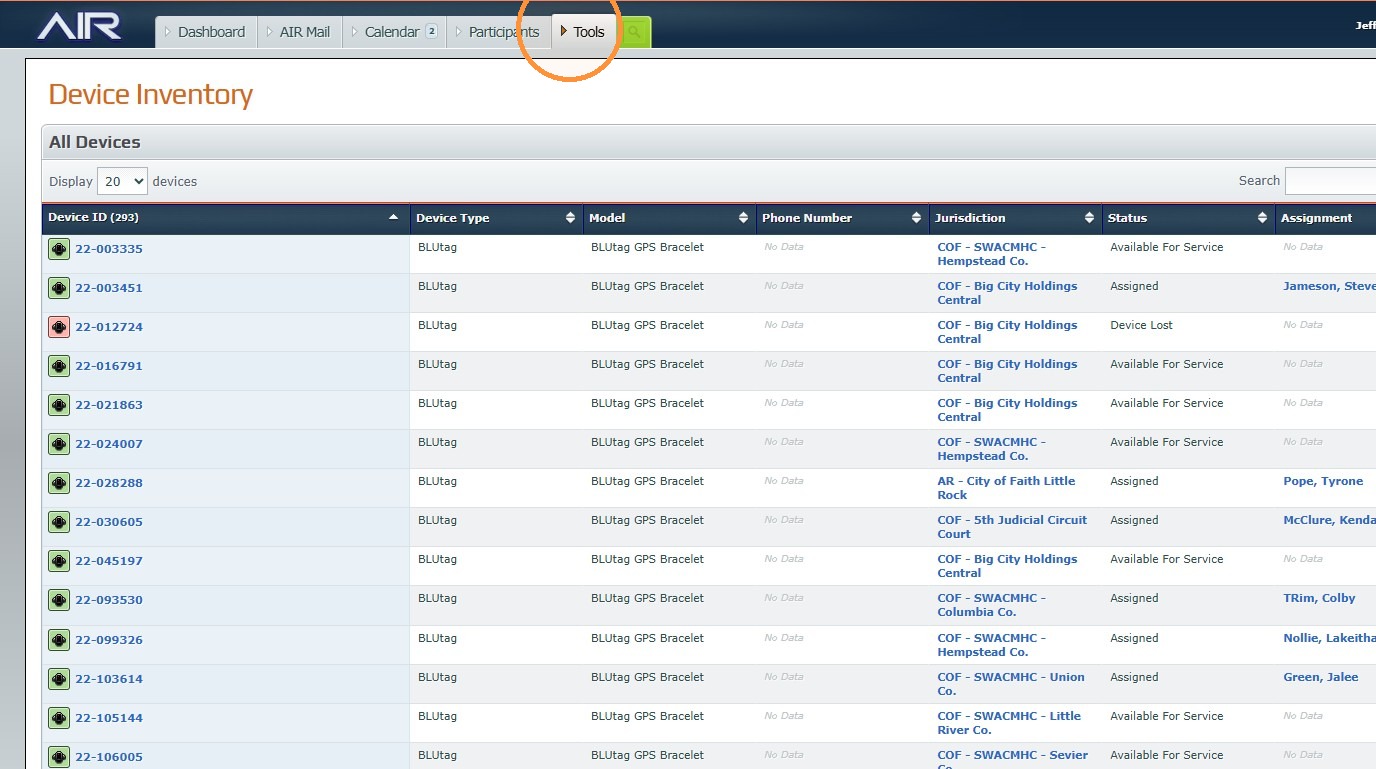
2. Click "Tools"
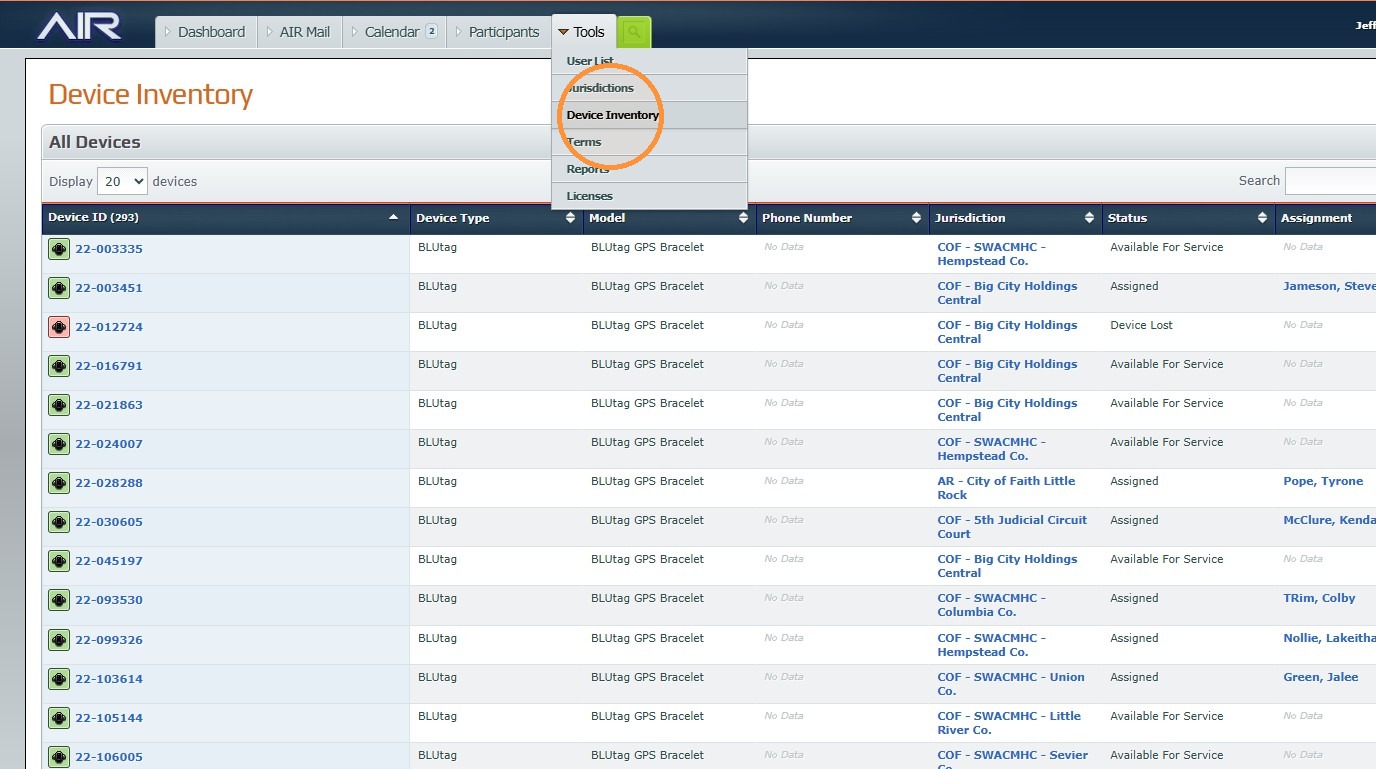
3. Click "Device Inventory"
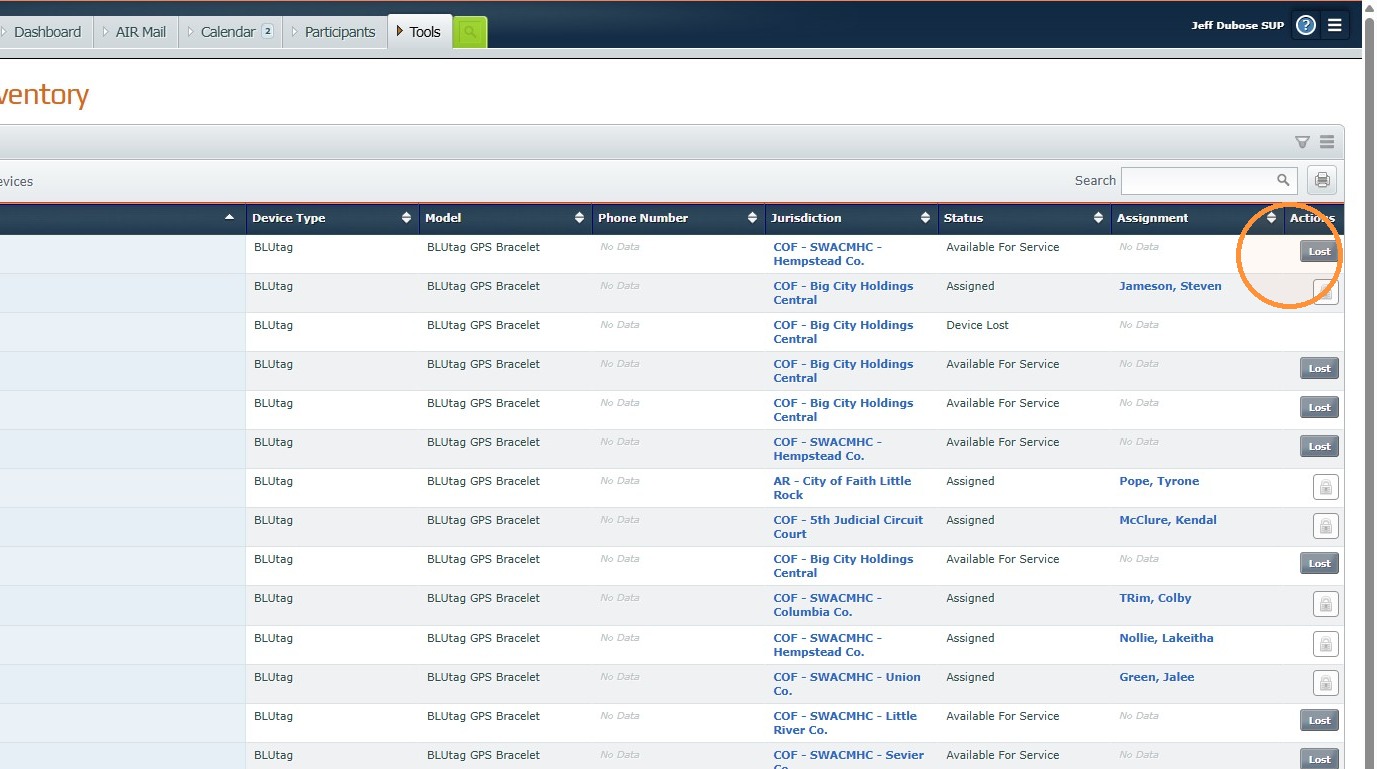
4. Click "Lost"
Was this article helpful?
That’s Great!
Thank you for your feedback
Sorry! We couldn't be helpful
Thank you for your feedback
Feedback sent
We appreciate your effort and will try to fix the article