Removing a Zone from a Participant
This guide provides a straightforward process for removing a zone from a participant in the Corrisoft system. By following the steps outlined, users can efficiently manage participant zones, ensuring accurate data and streamlined operations. It's essential for maintaining up-to-date participant information, making it a valuable resource for administrators and users alike.
1. Navigate to the Participant Profile
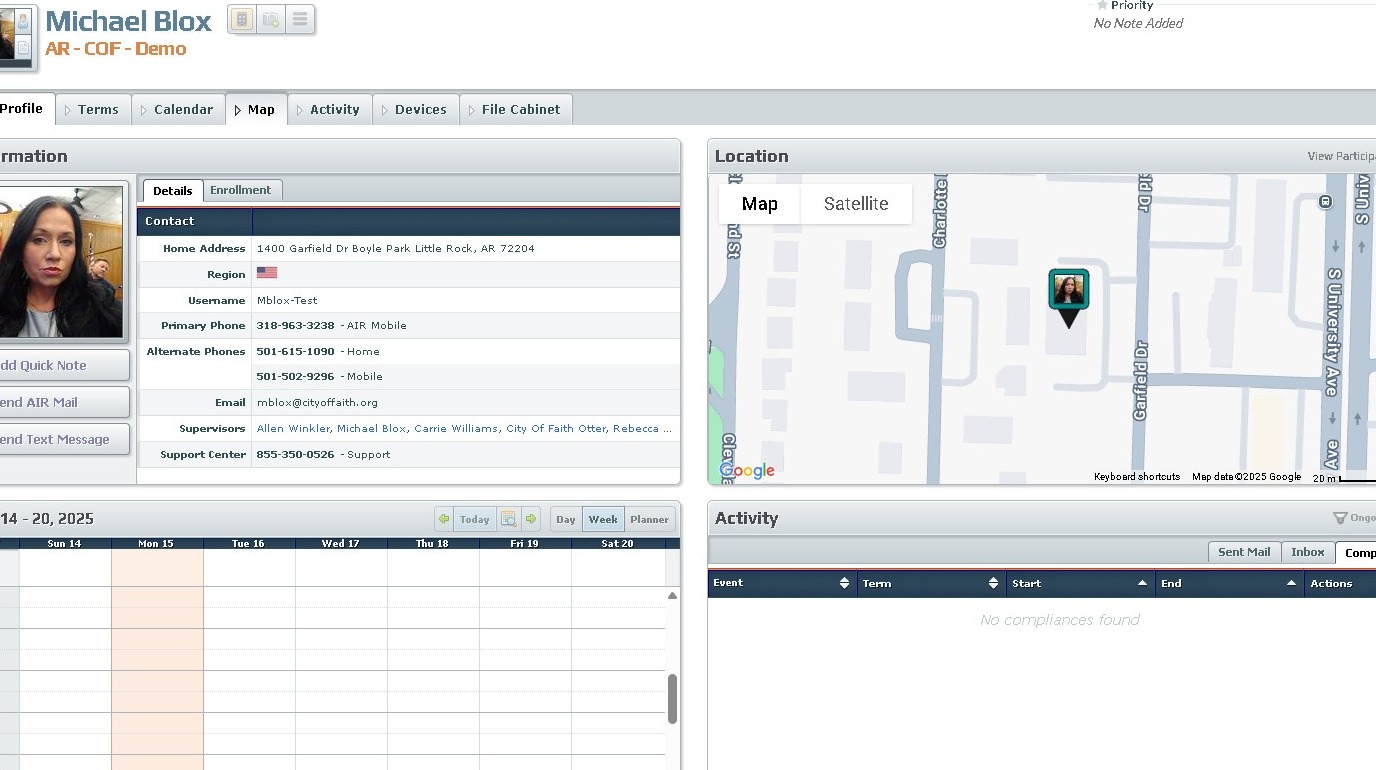
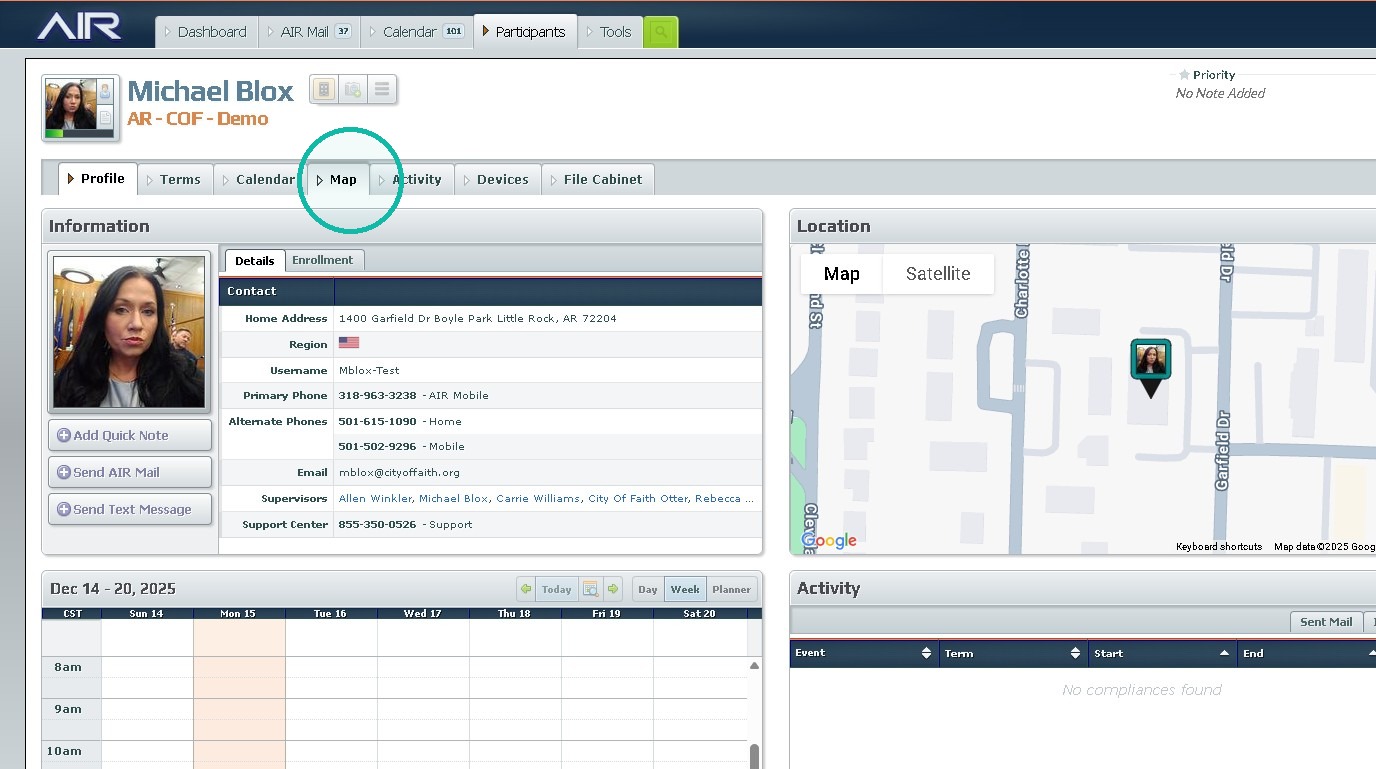
2. Click "Map"
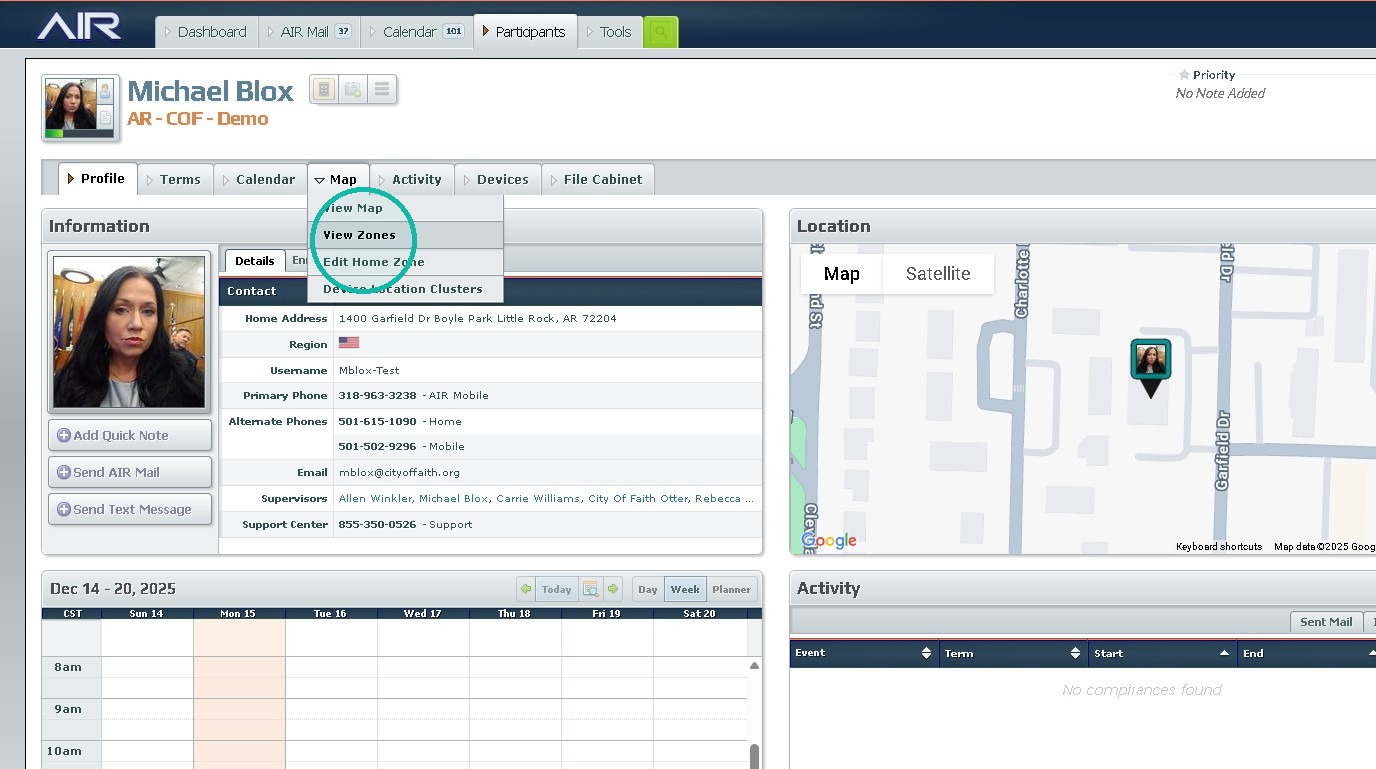
3. Click "View Zones"
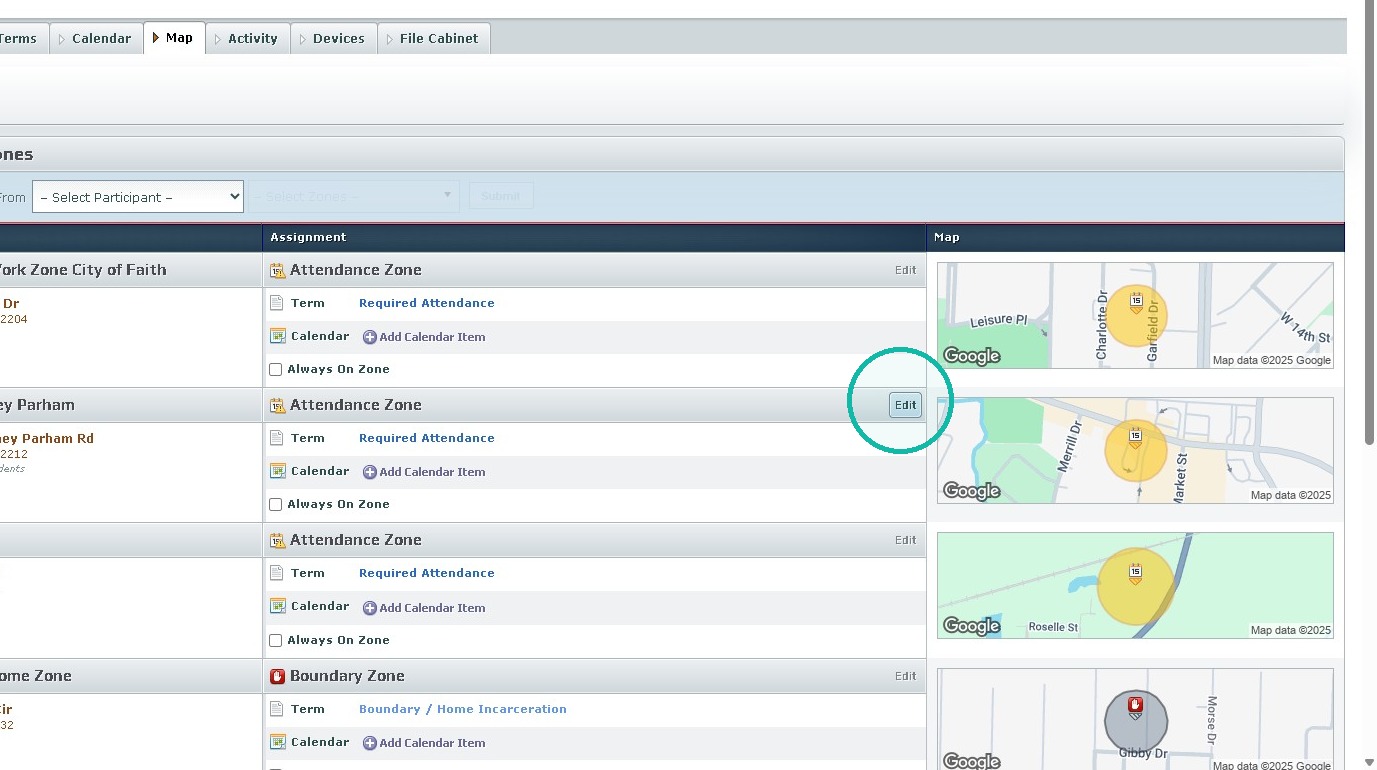
4. Click "Edit"
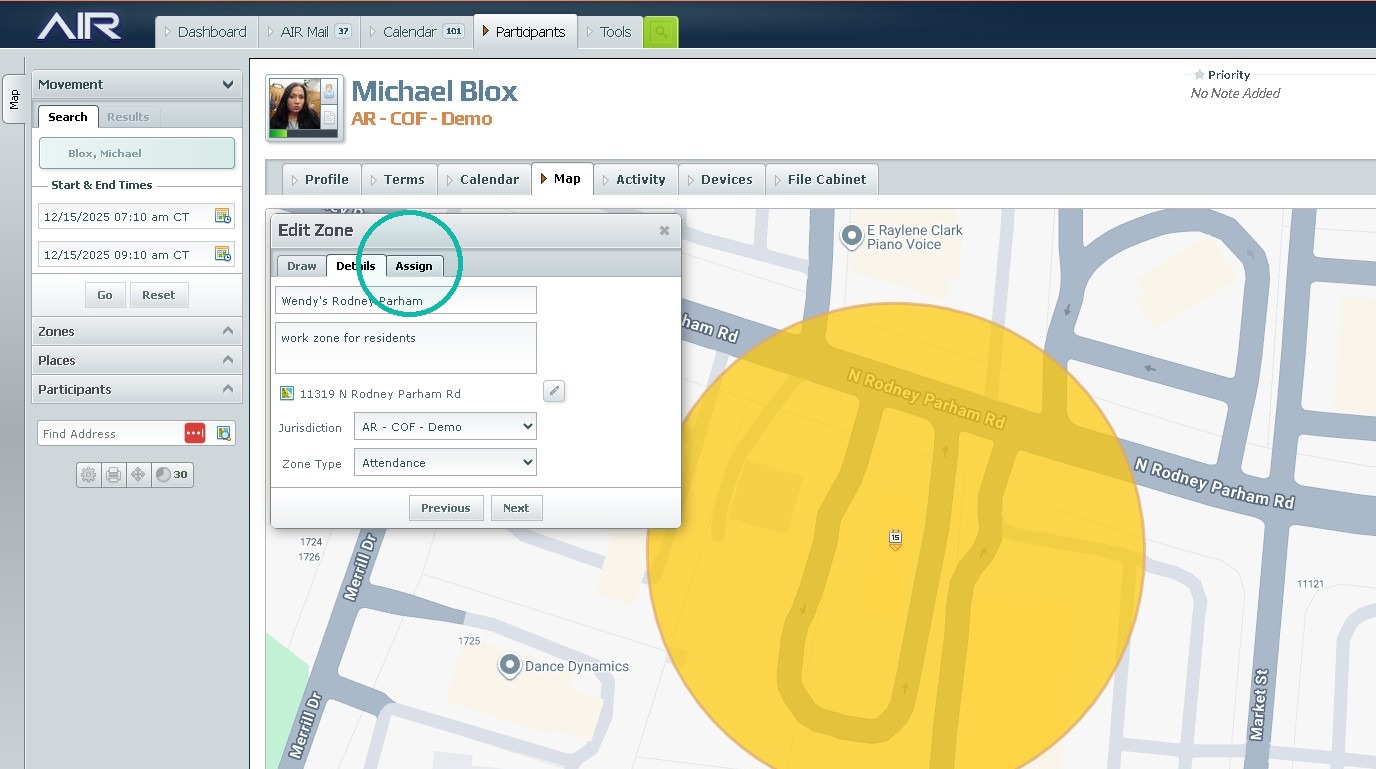
5. Click "Assign"
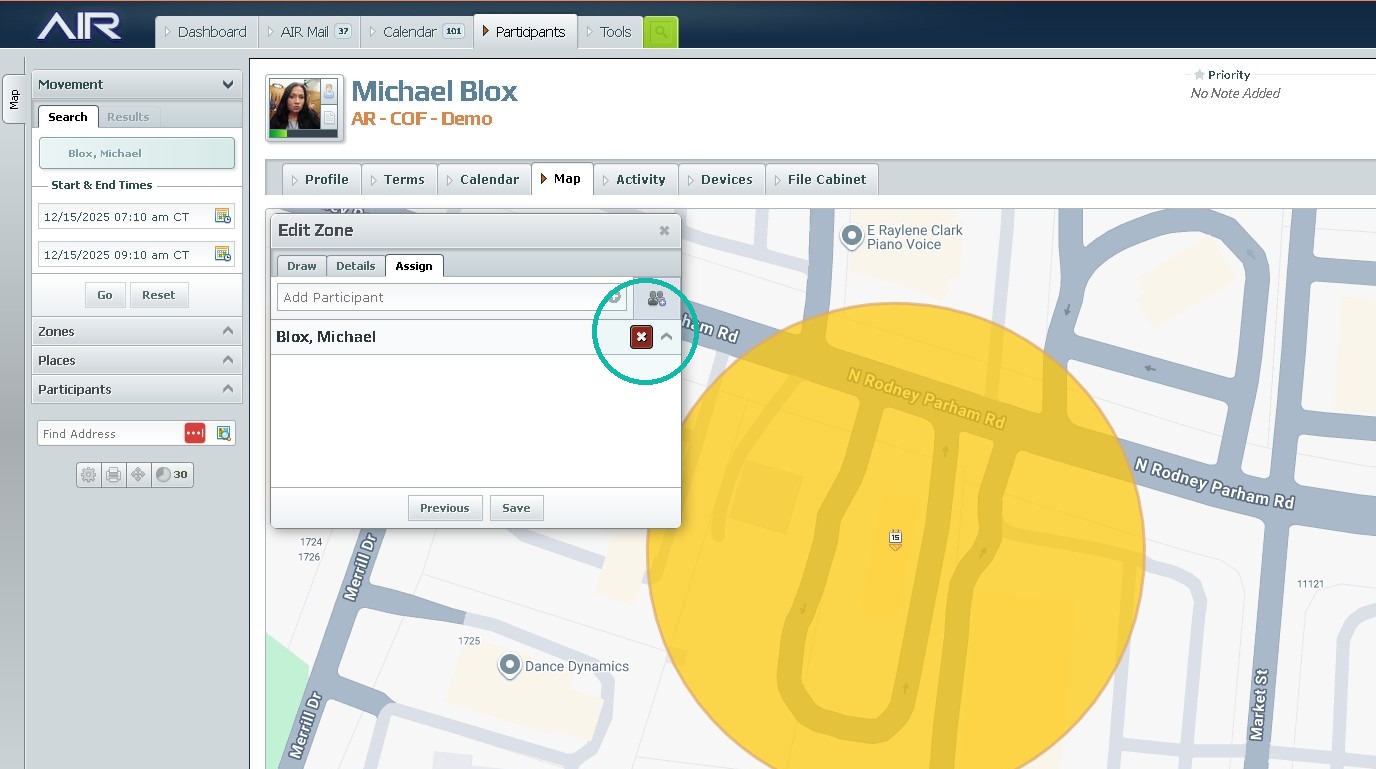
6. Click "x"
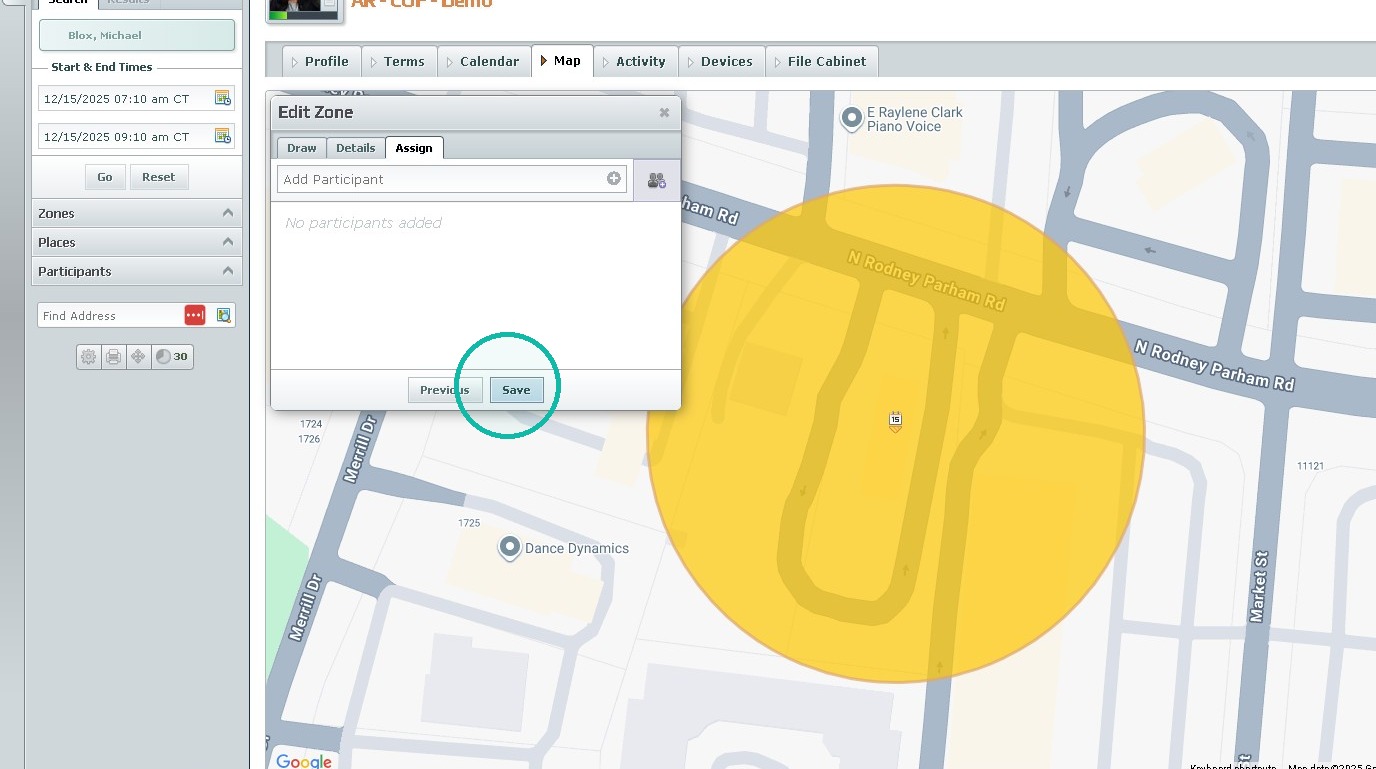
7. Click "Save"
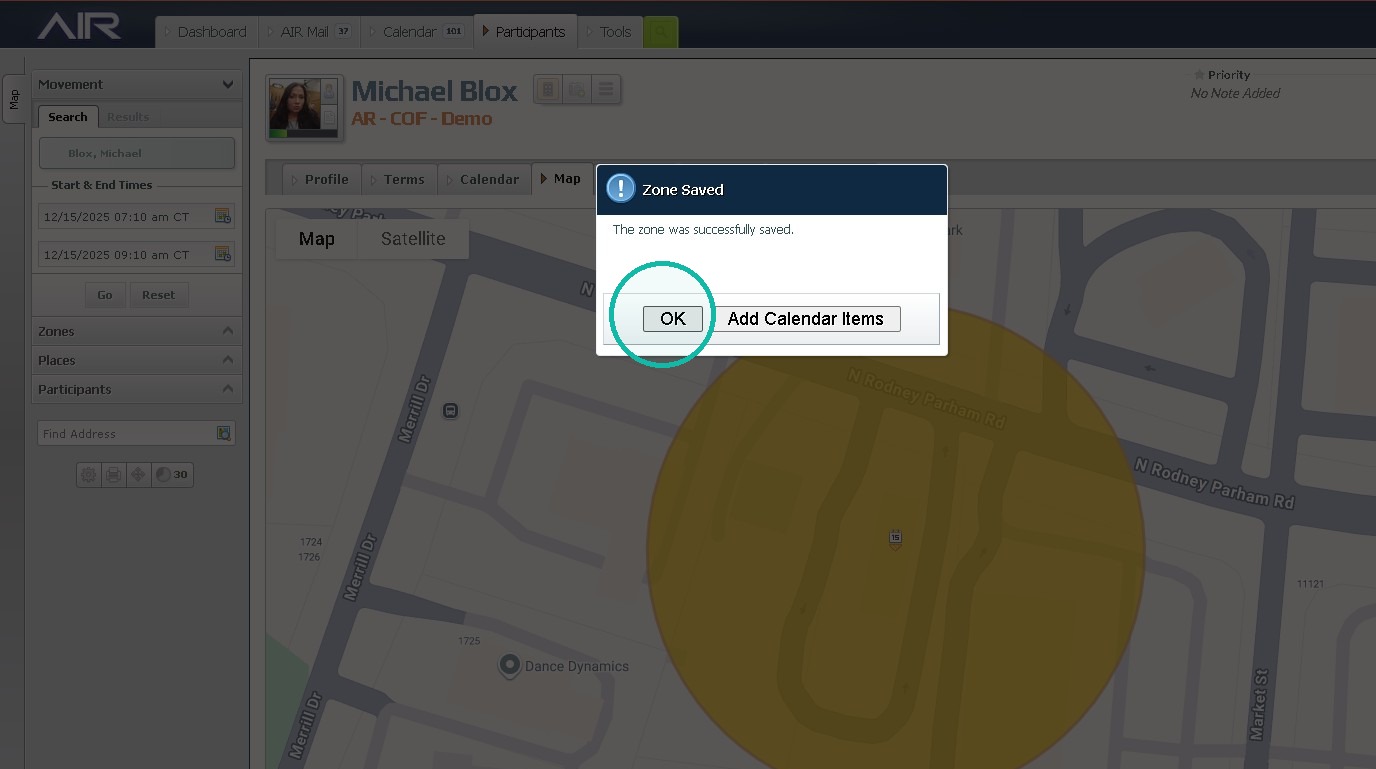
8. Click "OK"
Was this article helpful?
That’s Great!
Thank you for your feedback
Sorry! We couldn't be helpful
Thank you for your feedback
Feedback sent
We appreciate your effort and will try to fix the article